award-winning, UK payroll service
Cloud payroll software built for payroll bureaus
When you deliver payroll for clients, you need software you can rely on, and a workflow your team can run consistently. Our solution is designed for payroll bureaus, accountancy firms, bookkeepers, and payroll service providers supporting SMEs.
-
Work across multiple clients without version issues or duplicated data.
-
Collaborate as a team with clear visibility and audit trails.
-
Keep clients involved without relying on emails and spreadsheets.








Built for payroll bureau teams
-
Move between clients without losing your place
Payroll is a team effort, often across multiple clients and deadlines. Your team can move between payrolls confidently, with consistent workflows and data that stays accurate, joined up, and easy to trust.
-
Real-time access, 24/7
Everyone works from the same live data, so you are not relying on backups or duplicated files. This reduces errors, avoids confusion, and means your team always knows they are working on the most up-to-date information.
-
Run payroll from anywhere
Whether your team is in the office, at home, or working flexibly, payroll can still run smoothly. Our payroll bureau solution is cloud-based, so access is secure and consistent wherever work happens.
-
Audit logs built in
Every change is tracked, so you can see what was updated, when, and by who. This supports compliance, reduces risk, and gives you confidence when reviewing payroll or resolving client queries.
Get in touch below for a payroll software demo
Absences and statutory pay, handled properly
-
Holiday entitlement and holiday pay
-
Set up both statutory and occupational rules, so holiday entitlement and pay are calculated consistently across every client. This reduces manual checks and ensures policies are applied correctly at scale.
-
-
Holiday pay calculations
-
Calculate holiday pay using the correct reference periods, removing the need for manual intervention. This helps ensure compliance while giving you confidence that output reflects current regulations.
-
-
Statutory Sick Pay (SSP)
-
Configure SSP and any additional schemes, with clear visibility into how each day is treated. You can see how payments are calculated, reducing uncertainty and helping you validate results quickly.
-
-
Involve the client
-
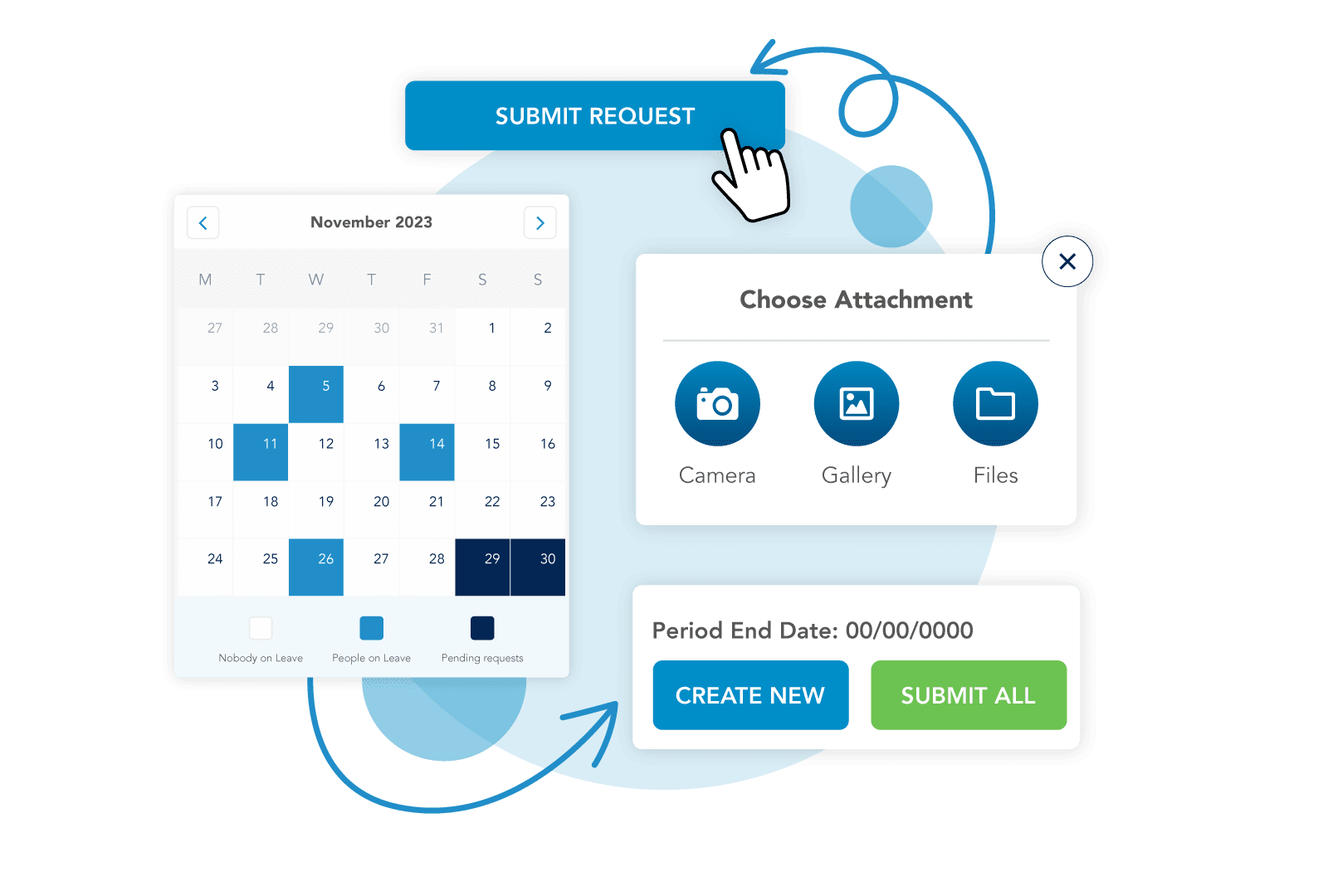
Clients can submit and approve absence data directly, so you are not chasing information close to deadlines. This improves data quality and helps payroll run on time with fewer last-minute changes.
-
Payroll calculations you can trust
-
Accuracy comes first
-
Payroll calculations are at the core of your service. Our software solution is design to support accuracy and consistency, helping reduce errors and giving you greater confidence in every payroll you deliver.
-
-
Automated calculations
-
Tax, National Insurance, student loans, and other deductions are handled automatically. Clear breakdowns help you understand how results are produced, so you can sense-check outputs when needed.
-
-
Pro-rated salaries
-
Handle mid-period starters, leavers, or salary changes with clear calculations. Payslips reflect how figures are derived, making it easier for both you and your clients to understand the outcome.
-
-
Back pay
-
When pay changes need to be applied retrospectively, adjustments are automatically calculated. This saves time, reduces manual effort, and ensures back pay is applied accurately in the next run.
-
Make client collaboration easier
-
Client portal
-
Provide clients with a dedicated space to access payroll data and complete required actions. This reduces reliance on email and gives both sides a clearer, more structured way to work together.
-
-
Secure data entry
-
Clients can add starters and input payroll data securely within the system. This reduces the risks associated with email and helps ensure that the information you rely on is complete and accurate.
-
-
Payroll approval
-
Clients can review payroll, leave comments, and approve before final submission. This helps avoid late changes and gives you confidence that payroll is correct before it is processed.
-
-
Historic access
-
Clients can view previous payslips and reports without needing to contact your team. This reduces administrative burden and allows your team to focus on delivering payroll, not responding to requests.
-


Onboard new clients with less friction
-
Migration tools
-
Moving clients from other providers can be complex. We included tools and workflows to help structure migrations, so you can onboard new clients more efficiently and with fewer risks.
-
-
Bulk import
-
Import client and employee data using CSV, Excel, FPS, and EPS uploads. This reduces manual input, speeds up onboarding, and helps ensure that data is transferred accurately into the system.
-
-
Parallel run validation
-
Run payroll alongside your previous system to validate outputs before going live. This gives you confidence in the results and helps avoid issues when transitioning clients fully.
-
-
Progress tracking
-
Track onboarding tasks with clear checklists for both your team and your clients. This keeps everyone aligned, reduces delays, and ensures nothing is missed during the migration process.
-
Security and infrastructure
Our helpful team of implementation experts are rated Excellent on Trustpilot. They’ll take good care of you and your business.
Reporting and exports
-
Report builder
-
Different clients need different outputs. The report builder allows you to create tailored reports, ensuring you can meet client expectations without manual rework or workarounds.
-
-
Standard reports
-
Start with a default set of reports available in Excel and PDF formats. These provide a solid foundation for your reporting, which you can then adapt to suit each client.
-
-
Variance reports
-
Identify differences between payroll runs quickly, so you can spot changes and resolve any issues before payroll is finalised. This supports accuracy and reduces the risk of errors.
-
-
Gender Pay Gap
-
Support statutory reporting requirements, including Gender Pay Gap reporting for applicable clients. This helps you deliver additional value while ensuring compliance with reporting obligations.
-
-
Payroll reporting
-
Reporting helps you check outputs and support client conversations. Access the information you need to validate payroll and provide clients with clear, useful summaries.
-
Finance and payments
-
Payroll journals
-
Generate payroll journals that support reconciliation and financial reporting. Configurable outputs help align payroll data with how your clients manage their accounts.
-
-
Accounting integrations
-
Integrate with accounting platforms such as Xero and QuickBooks. This reduces manual data transfer and helps ensure financial records stay accurate and aligned with payroll outputs.
-
-
Payments
-
Generate BACS files or connect with payment providers to support payroll payments. This gives you flexibility in how payments are processed and integrated into your workflow.
-

Bureau management visibility
-
Payroll tracking
-
See where each payroll sits in the process, including what is complete and what is waiting on input. This helps you manage workloads and keep payrolls moving.
-
-
Client overview
-
View all clients, their headcounts, and payroll status in one place. This gives you a clear picture of your bureau and helps you prioritise work effectively.
-
-
Team management
-
Manage user access and permissions as your team changes. This helps ensure that the right people have access to the right data at the right time.
-
Badges of honour
Recognised by everyone who’s anyone. We wear our badges with pride.









Book a tailored bureau software demo
See how the platform can help your team manage client payrolls, improve visibility and streamline key payroll workflows.
Payroll Bureau FAQs
-
How does Moorepay get my payroll data?
When you outsource your payroll to Moorepay, our payroll experts will work with you to gather employee data and create a structure that fits your pay cycle. You will be given a deadline for data submission. This data can be input via our easy-to-use system or via SFT (a secure file transfer of data to Moorepay’s data storage site).
Moorepay will then collect data and prepare your payroll for processing.
-
Do I need to submit anything to HMRC if I use Moorepay’s payroll bureau offering?
You’ll need to send your P11Ds to HMRC. (support on sending / uploading is provided on the HMRC website)
You will also need to calculate and pay the applicable Class 1a NICs associated with the P11D to HMRC. (support on calculating and paying the costs is via HMRC)
-
What happens if one of my employees is over or underpaid?
In the event that an employee of yours is over or underpaid, we’ll work directly with you to discuss the appropriate method to calculate, recall and recover any overpayments or underpayments.
As part of our managed payroll offering, we’ll report overpayments to you immediately once they have been discovered. We’ll ensure the employee record is updated in the Moorepay system to reflect the recovery of overpayment.
-
What’s the process once I have input variable changes?
You’ll send us your payroll data including things like starters and leavers, salary changes and bonuses. During implementation, you’ll be asked to stipulate any variable changes.
Our experts will validate your data. Once we’re happy with the data we’ll input it into our system and make the relevant calculations.
Our experts will check the output, you’ll then receive a review and authorise the payroll. We’ll then produce your employees’ payslips and your payroll reports.
Payslips are then made available to your employees; you’ll get your reports and RTI submissions are made. Employee payment is made on your behalf.
Should you have any, we’ll handle your queries on P60s, payroll calculations, payslips and payments to employees.
-
How does Moorepay process employee Auto-Enrolment?
With pensions arrangements we make the deductions and report to the relevant pension companies on your behalf. See more on our full Auto-Enrolment service.